
Screen recording tools have become indispensable in today’s digital workflows. Whether you’re a content creator, educator, gamer, or professional needing to record tutorials, meetings, gameplay, or presentations, having reliable screen capture software can make all the difference. One popular option in this category is Aiseesoft Screen Recorder—a desktop application for Windows and macOS that promises versatile recording capabilities with customizable settings and output options.
In this article, we’ll provide a detailed overview of Aiseesoft Screen Recorder: what it does, its main features, how to use it, current pricing, and its strengths and limitations.
1. What Is Aiseesoft Screen Recorder?
Aiseesoft Screen Recorder is a desktop application designed to capture screen activity, audio, webcam footage, and screenshots on Windows and macOS computers. It’s positioned as a flexible solution for recording virtually any on-screen task—whether that’s capturing streaming media, online meetings, gameplay, software demos, or instructional videos.
Main Features of Aiseesoft Screen Recorder :
- Multiple Recording Modes: Full screen, window capture, or custom region
- Audio Capture: System sound, microphone input, or both
- Webcam Recording: Standalone or picture-in-picture
- Screenshots & Scrolling Capture
- Customizable Output: Resolution, frame rate, and format choices
- Basic Annotation & Trimming Tools
2. How to Use Aiseesoft Screen Recorder?
Here’s a step-by-step breakdown of how to record your screen using Aiseesoft Screen Recorder:
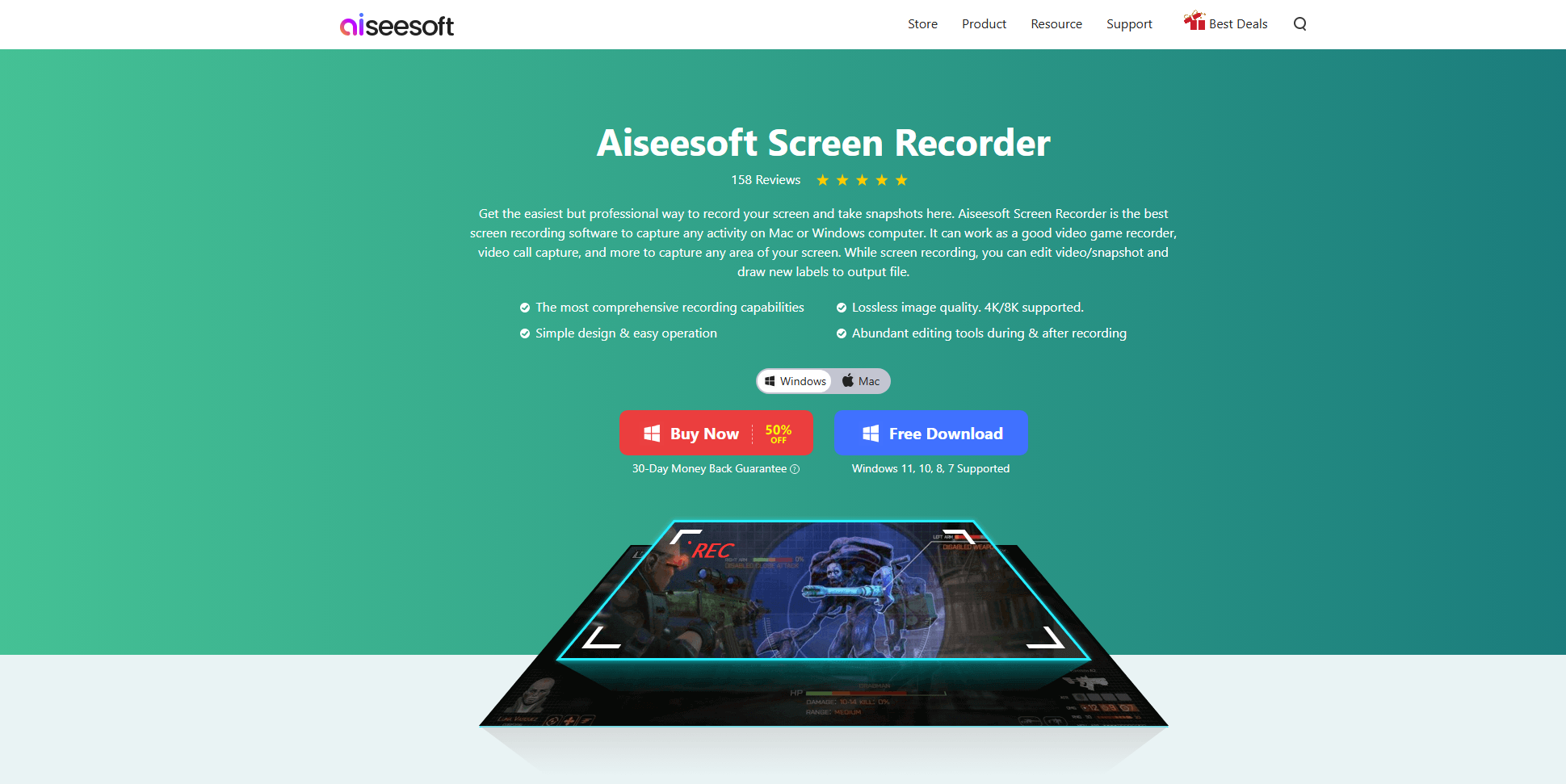
Step 1: Visit the official Aiseesoft Screen Recorder page and download the installer for your operating system, then follow the setup instructions to install the software.
Step 2: Open Aiseesoft Screen Recorder, select the type of recording you need, configure recording area, select Audio Sources and djust more settings like output format (e.g., MP4, MOV), resolution, frame rate, and hotkey shortcuts.
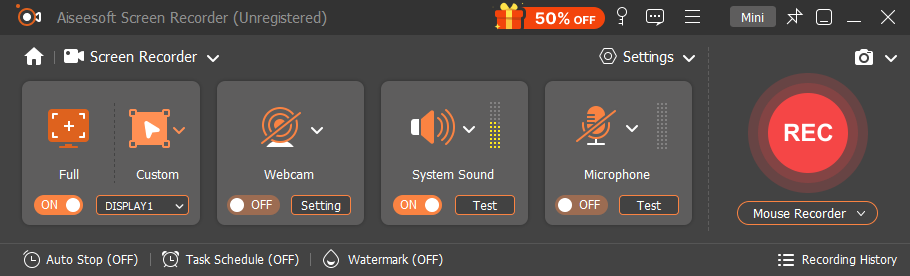
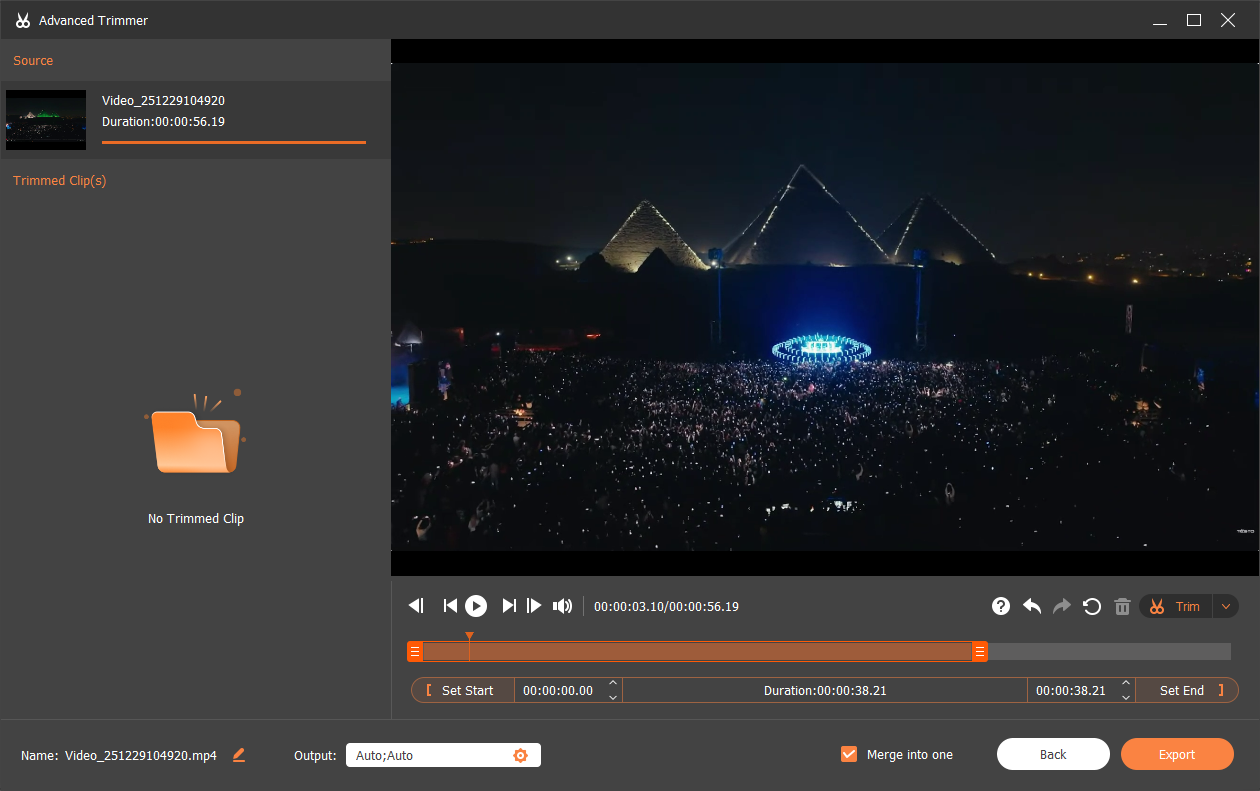
Step 3: Click the “REC” button to begin. During recording, you can pause, resume, or annotate as needed. After finishing, stop the recording, preview the result, trim unwanted sections.
Once finished, export the recording file to your desired location.
3. Aiseesoft Screen Recorder Pricing
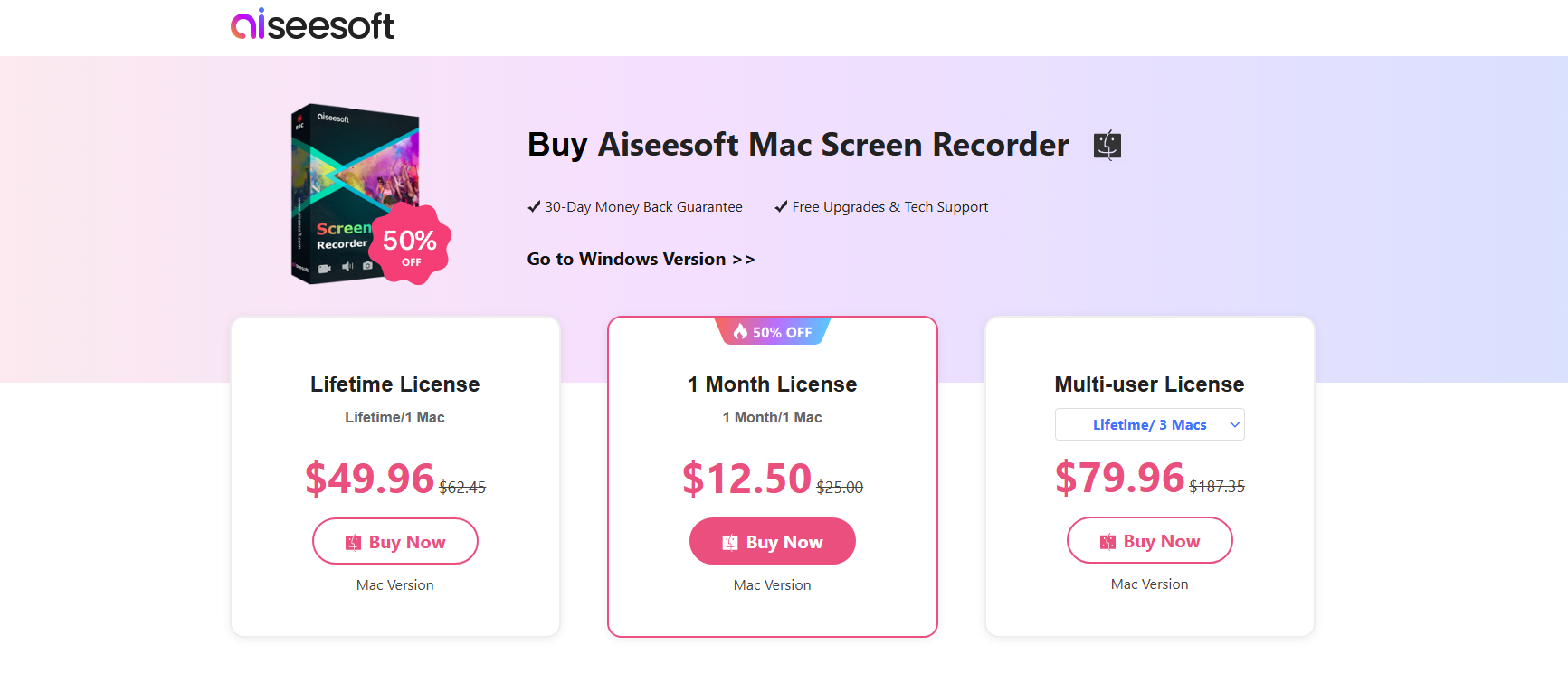
Aiseesoft Screen Recorder is not free software, though a free trial is available with limitations. According to the official purchase page:
Available License Options
- 1-Month License:
About $12.50 (regularly $25) — valid for one month on one PC or Mac. - Lifetime License (1 Device):
Around $49.96 (discounted from $62.45) — one-time purchase for use on a single PC or Mac with lifetime access. - Business/Multi-User License:
About $79.96 (discounted from $187.35) — lifetime access for up to three PCs or Macs, suitable for small teams or business environments.
The free trial version allows a very short recording time (typically ~3 minutes) and doesn’t unlock all premium features, making it more suitable for testing rather than extended use.
4. Aiseesoft Screen Recorder Pros and Cons
优点:
- Works on both Windows and macOS
- Offers multiple recording modes
- Audio source control lets you capture system and mic audio
- Adjustable output settings for quality vs. file size balance
- Beginner-friendly interface
缺点:
- Free trial is heavily limited
- Lacks advanced features like instant replay
- Editing tools are basic compared to dedicated video editors
- May perform slower on lower-end systems
For users who want more dynamic recording workflows, particularly professionals or frequent creators, these limitations may be noticeable.
5. Try a More Effective Alternative: Swyshare Recordit
If Aiseesoft Screen Recorder feels limited or cumbersome for your needs, Swyshare Recordit offers a compelling alternative with enhanced capabilities and a smoother user experience.
Swyshare Recordit is a modern screen recording application focused on productivity and performance. It’s designed for creators who need fast, high-quality video capture with advanced yet user-friendly tools.
主要特点 Recordit :
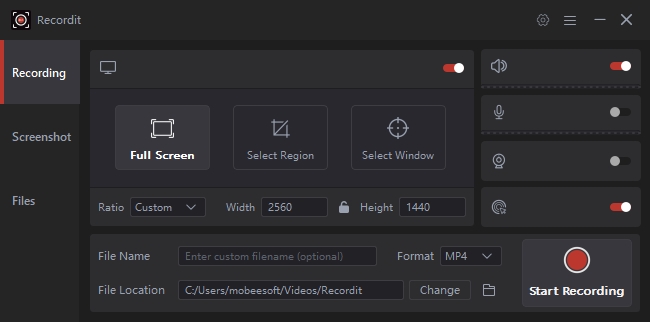
- Multiple Recording Modes: Full screen, app window, or custom area
- Flexible Audio Control: Independent system and microphone capture
- Webcam Overlay: Perfect for tutorials, presentations, and livestream commentary
- Instant Replay: Save recent screen activity even if you forgot to hit record
- Scheduled Recording: Automate start/stop times for webinars or streams
- Built-in Editing Tools: Enhance recordings with mouse effects, logos, and backgrounds.
- Resize Recording: Adjust size of the recorded video and canvas.
如何使用 Swyshare Recordit :
- 下载并安装 Recordit on your Windows or macOS machine.
- 打开 Recordit and choose your recording preferences (screen area, audio sources, webcam overlay).
- If needed, set up scheduled or instant replay options before recording.
- Click the record button to begin capturing. Use on-screen controls to pause or annotate in real time.
- After recording, use built-in tools to add logo/background and export your video.
6. Comparison Table: Aiseesoft Screen Recorder vs. Swyshare Recordit
| 特征 | Aiseesoft屏幕录像机 | Swyshare Recordit |
|---|---|---|
| Full Screen Recording | ✔ | ✔ |
| Custom Area Recording | ✔ | ✔ |
| System + Mic Audio Control | ✔ | ✔ |
| Webcam Overlay | ✔ | ✔ |
| Mobile Recording | ✔ | ✘ |
| 即时回放 | ✘ | ✔ |
| 定时录制 | ✔ | ✔ |
| Built-In Editor & Annotation | 基本的 | 先进的 |
| 定价 | 高的 | More Affordable |
| Beginner-Friendly | ✔ | ✔ |
| Performance Optimization | Standard | Enhanced |
| Free Trial Availability | Yes (3-min limit) | Yes (10-min limit) |
| 最适合 | Basic recordings | Frequent & professional workflows |
7. 结论
Aiseesoft Screen Recorder is a solid option for basic screen recording needs, offering multiple capture modes, audio control, and a beginner-friendly interface. It works well for occasional use, but its limited free trial, basic editing tools, and lack of advanced features may not meet the needs of frequent or professional users.
For a more powerful and efficient experience, Swyshare Recordit is the better choice. With features like instant replay, advanced editing tools, and smoother performance, Recordit is designed for modern, high-frequency recording workflows. If you want greater flexibility, productivity, and long-term value, Swyshare Recordit 强烈推荐。