
Snapchat has long been synonymous with instant communication and fun, disappearing content. While the mobile app is its heart and soul, Snapchat Web has become an increasingly popular option for users who want to chat, send snaps, or even record video from their desktop or laptop. Recording video on Snapchat Web is slightly different from the mobile experience, but with the right tools and methods, you can capture moments, save clips, or even create content for tutorials or archives.
In this guide, we’ll cover everything you need to know about recording videos on Snapchat web.
1. Can You Screen Record Snapchat?
Yes, technically, you can screen record Snapchat — but there are important considerations:
- Snapchat’s mobile app does not allow native screen recording without notifications.
- Screen recording can be done through built-in tools on your device (like iOS Screen Recording or Windows Game Bar) or third-party software.
- On Snapchat Web, you’re not limited to the mobile app interface, so you have more flexibility using desktop recording tools.
Essentially, recording Snapchat content is possible, but how you do it depends on whether you’re on mobile or desktop.
2. Does Snapchat Notify When You Screen Record?
This is a crucial question for privacy-conscious users:
- Mobile App: Yes. Snapchat typically notifies the sender if you take a screenshot or screen record a snap or chat. This notification is a key part of Snapchat’s design.
- Snapchat Web: Notifications may not work the same way, depending on how the content is captured. For example, third-party desktop recording tools or browser-based screen recorders often bypass Snapchat’s detection.
3. 如何在Snapchat网页版上录制视频?
Unlike mobile, Snapchat Web doesn’t have a built-in “record snap” button for saving videos to your computer. However, there are several practical methods you can use:
3.1 Using Online Screen Recorders
Online screen recording platforms allow you to capture video directly from your browser without installing software.
Popular options include:
- Screencast-O-Matic – Offers simple video recording and editing.
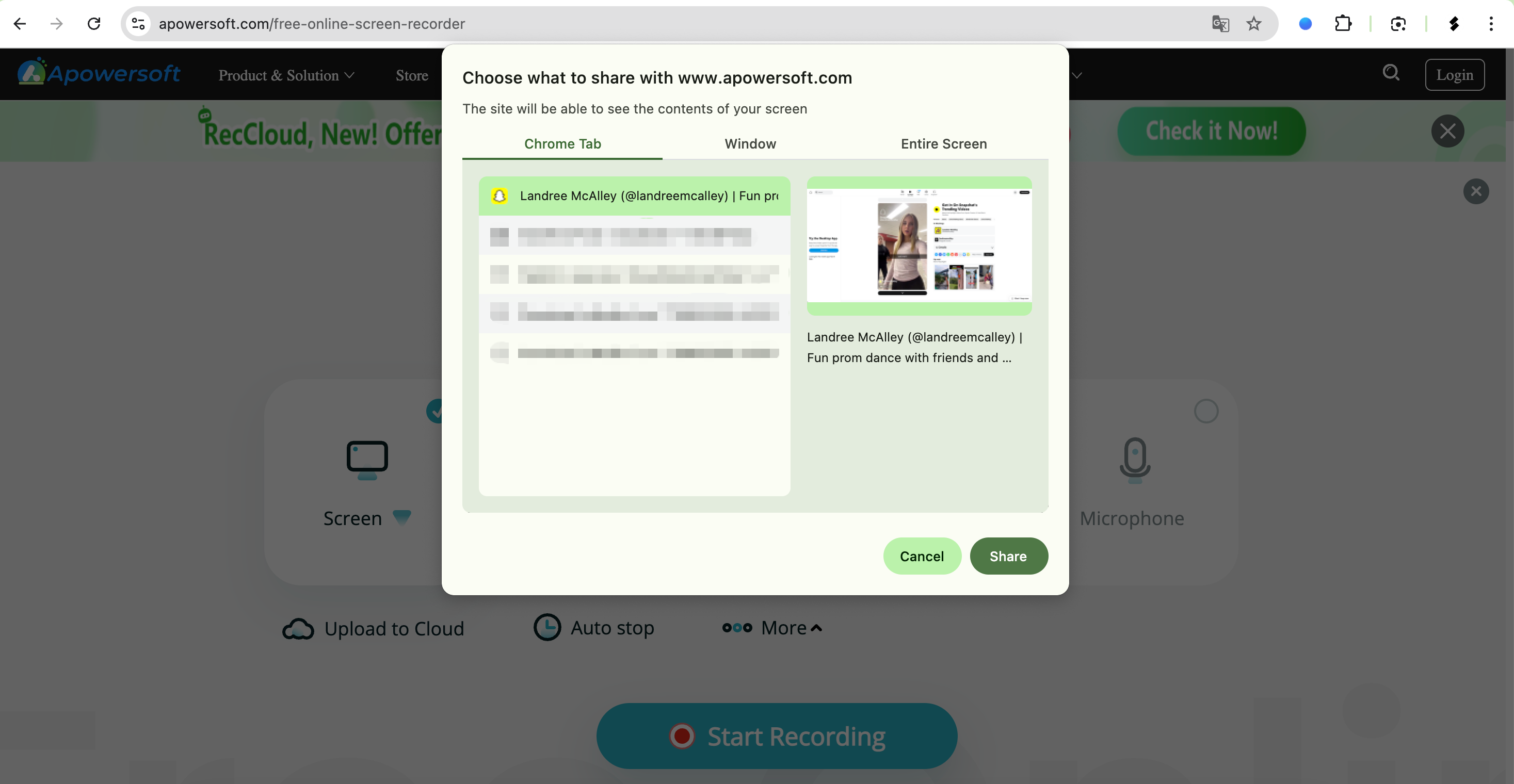
- Apowersoft Online Screen Recorder – Free, browser-based, and capable of capturing audio and video simultaneously.
How to use them:
- Open Snapchat Web in your browser.
- Launch the online recorder and select the window or full screen containing Snapchat.
- Start recording while playing the snap video.
- Stop recording and download the clip.
优点:
No installation required, quick setup.
缺点:
Limited editing, occasional watermarks, dependent on internet speed.
3.2 Using Browser Recorder Extensions
Extensions can streamline screen recording directly from Chrome, Edge, or Firefox:
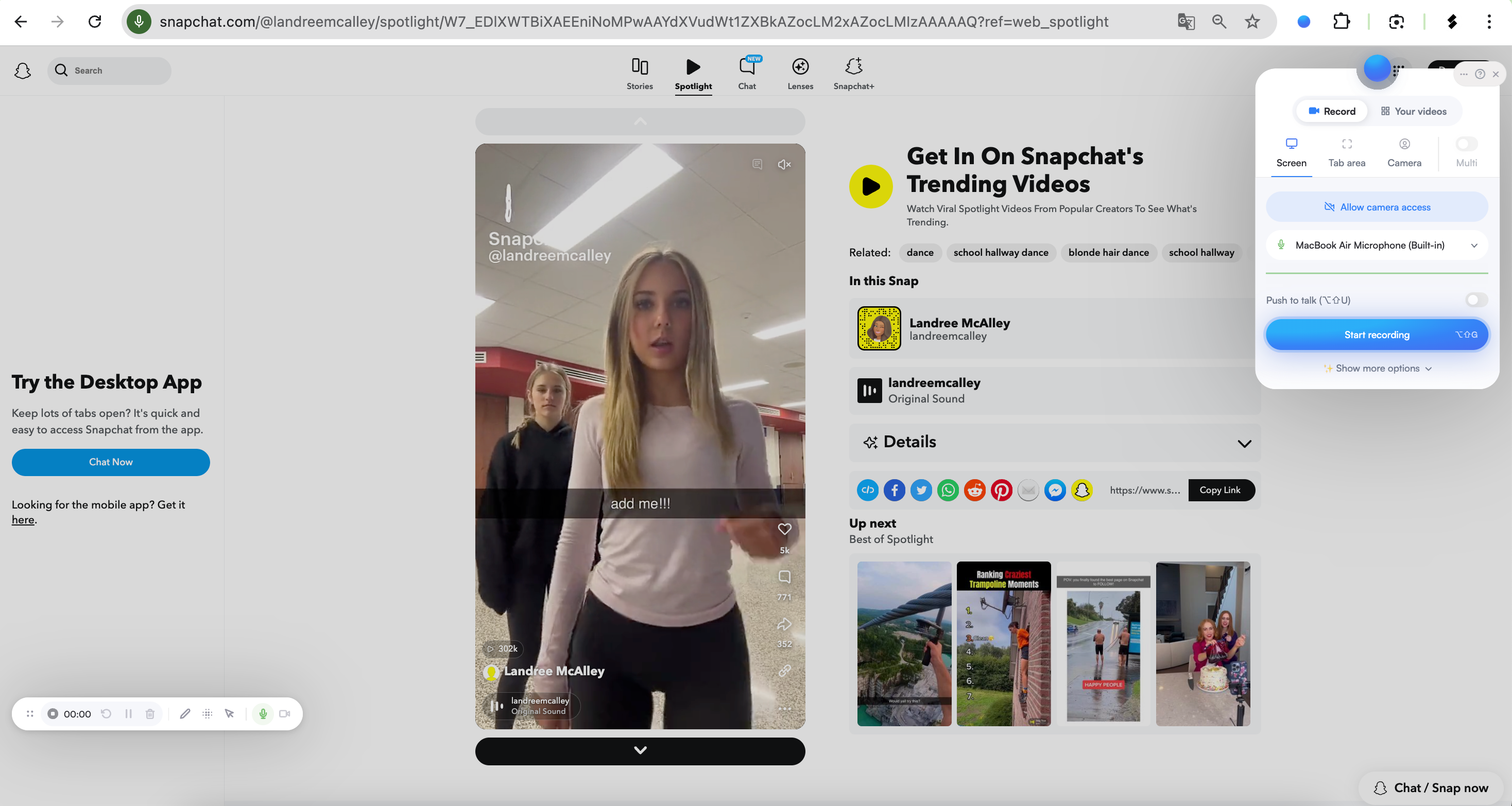
- Screenify – Simple extension that records browser tabs, desktop, or webcam.
- Nimbus 截图和屏幕录像机 – Records screens and allows light editing.
How to use them:
- Install the extension (like Screenify) from your browser’s store.
- Open Snapchat Web and log in, then click the extension icon and select recording mode: tab, window, or full screen.
- Start recording, then stop when done; Save the recording locally or in the cloud.
优点:
Convenient, works directly from your browser, integrated upload options.
缺点:
Limited editing and some features require paid versions.
3.3 Using Swyshare Recordit Software
For professional, reliable, and flexible recording, desktop software like Swyshare Recordit is one of the best solutions. Unlike online tools or browser extensions, Recordit is a standalone application designed to capture your screen, webcam, or specific windows with high quality.
为什么 Swyshare Recordit 脱颖而出:
- Records in HD without compression artifacts.
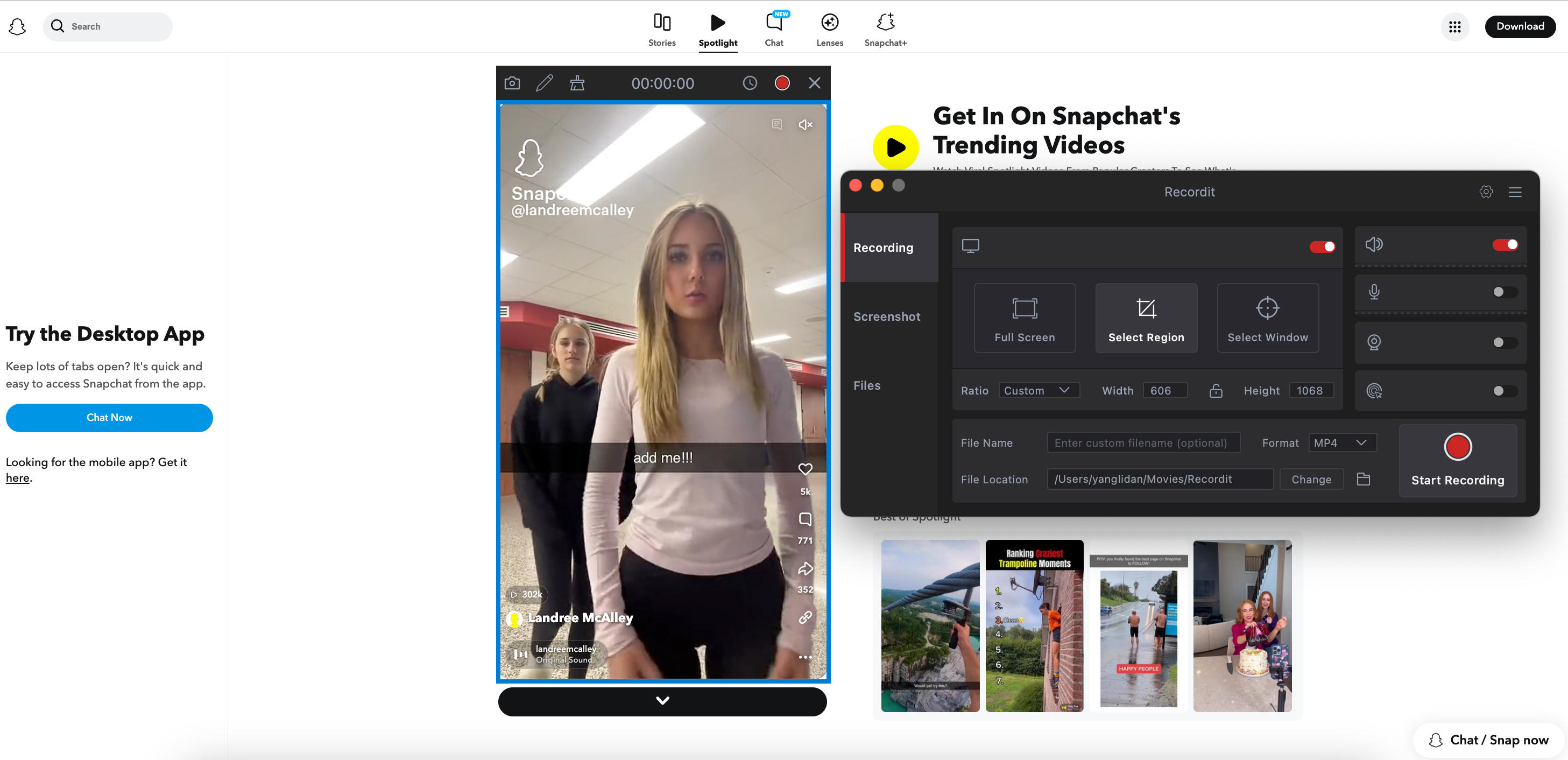
- Capture a window, full screen, or a custom area.
- 同时录制系统音频和麦克风。
- Schdule recording start and stop at the exact time.
- Capture last 15 seconds or more.
- Save as MP4, GIF, or MP3 depending on your needs.
- Hotkeys to start, pause, or stop recordings without interrupting workflow.
如何使用 Recordit with Snapchat Web:
- 下载并安装 Swyshare Recordit for Windows or Mac from the official website.
- Open Snapchat Web in your browser, then launch Recordit and select the recording area (either full window or specific tab).
- Turn on system sound, then start recording before playing the snap video.
- Stop recording when finished and save the file locally.
4. 结论
While online screen recorders and browser extensions offer convenience, Swyshare Recordit provides the most professional, reliable, and versatile solution for recording videos on Snapchat Web. It allows you to capture high-quality video and audio, record specific windows, use hotkeys, and even replay highlights instantly.
For anyone serious about recording snaps for tutorials, content creation, or archiving, Recordit delivers unmatched control and quality. Whether you’re using Snapchat Web for work, personal communication, or creative projects, having a tool like Recordit ensures your recordings are smooth, clear, and ready for editing or sharing.
In short, if you want a hassle-free, professional-grade way to record Snapchat Web videos, Swyshare Recordit is the recommended solution.