
Popcornflix has become one of the most popular destinations for free movies online. Whether you’re into classic films, indie gems, or nostalgic favorites, the platform offers an impressive library that you can stream anytime without creating an account. But while watching online is convenient, many people look for a way to save Popcornflix movies so they can enjoy them offline, during travel, or without relying on Wi-Fi.
In this guide, you’ll learn what Popcornflix is, whether it’s safe, its alternatives, and the best methods to save movies from Popcornflix.
1. What Is Popcornflix?
Popcornflix is a free streaming platform owned by Screen Media Ventures. It provides thousands of movies across multiple genres, including:
- Comedy
- Horror
- Sci-Fi
- Thriller
- Romance
- Family movies
- Older classics and indie films
Unlike subscription services (Netflix, Hulu, Paramount+), Popcornflix requires no account, no payment, and no subscription. You simply visit the website or use the app and start watching.
2. Is Popcornflix Safe?
Yes, Popcornflix is considered safe and legitimate . It’s a legal streaming service supported by advertising, not a piracy website.
Here’s why it’s trustworthy:
- Fully licensed and backed by a recognized media company
- Uses standard video advertising, not malicious pop-ups
- Available in app stores (iOS, Android, Roku, Amazon Fire TV)
- No requirement to create an account
3. Popcornflix Alternatives
If you enjoy free streaming platforms, here are some legal and reputable alternatives:
- Tubi : Large library of movies and TV shows, totally free and ad-supported.
- Pluto TV : Live channels plus thousands of free on-demand movies.
- Crackle : Another long-running ad-supported movie platform with original content.
- The Roku Channel : Great for free movies, documentaries, and live TV channels.
- Freevee (Amazon) : High-quality movies, often with newer titles.
4. How to Save Popcornflix Free Movies
Popcornflix doesn’t provide a download button, but you can use the below methods to save Popcorn movies for personal offline use.
4.1 Using an Online Screen Recorder
Online screen recorders allow you to capture your screen directly inside your browser. Most require no installation, making them ideal for quick recordings.
How to Use an Online Recorder :
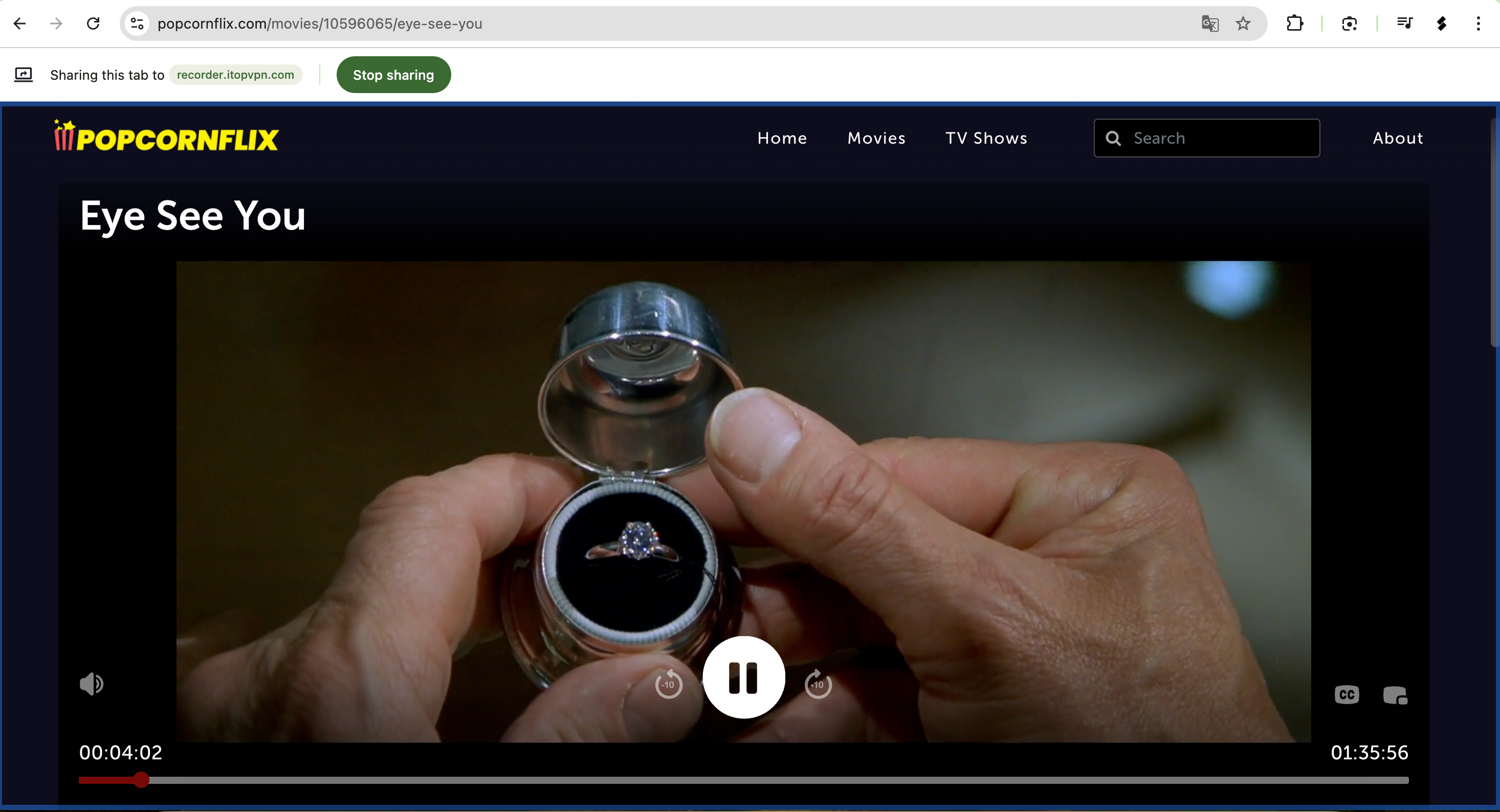
- Visit Popcornflix and load the movie you want to save.
- Open an online recorder such as iTop free online recorder.
- Start sharing the screen, then play your movie in full-screen mode.
- When finished, stop sharing and export the file.
优点 :
- No installation
- Quick and easy
- Accessible on any device or browser
缺点 :
- File size limitations on some websites
- Advanced features (e.g., scheduler, quality control) may be restricted
4.2 Using Recorder Browser Extensions
Screen-recording extensions are convenient because they work directly from your browser toolbar.
How to Use Recorder Extensions :
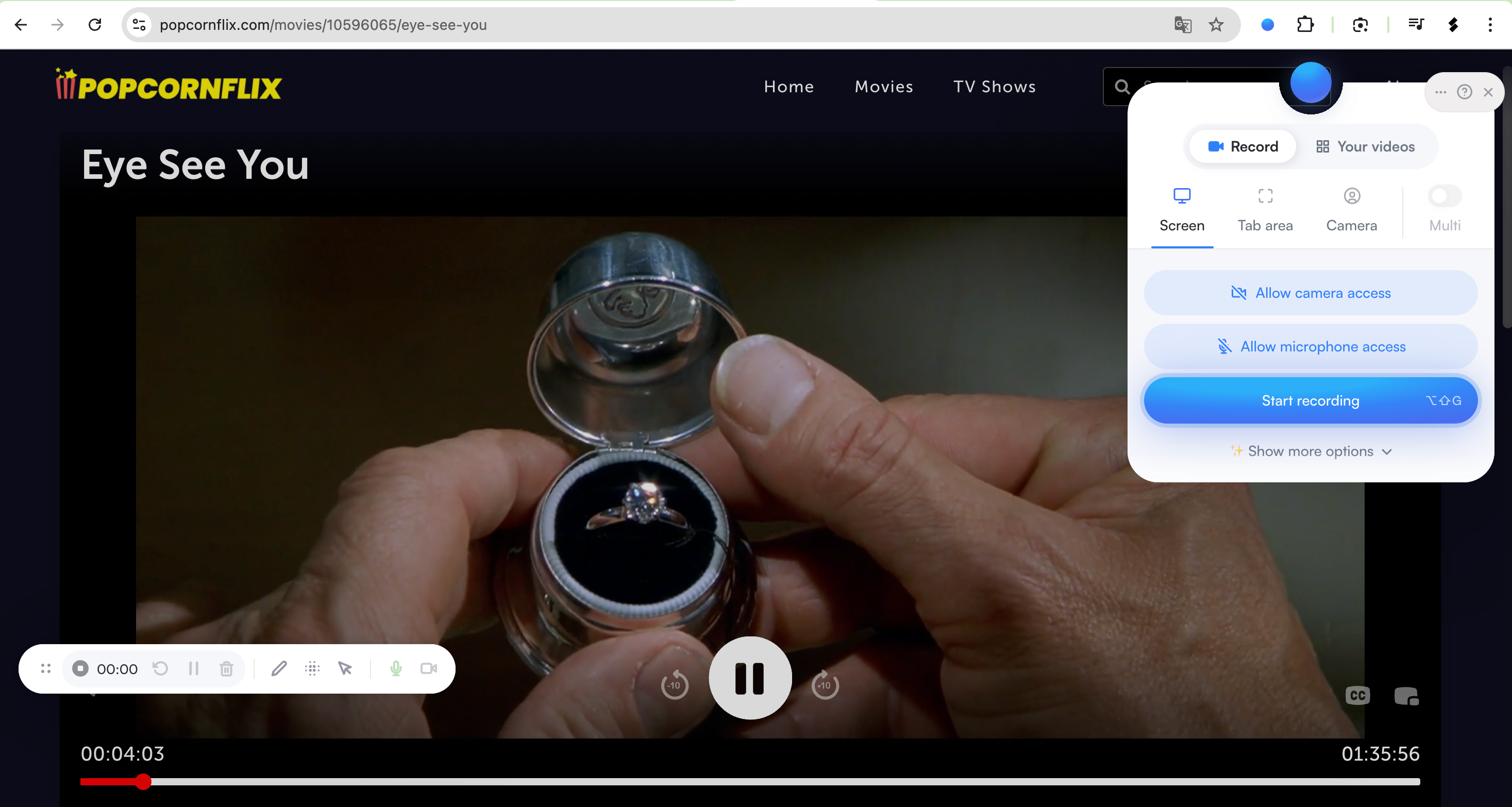
- Install a trusted extension like Screenity from the Chrome Web Store.
- Open Popcornflix and navigate to your movie, then click the recorder icon.
- Choose Tab Area or Screen tab with audio.
- Hit Start Recording, play your movie, and stop when done.
- Export the captured file in MP4 or WebM.
优点 :
- Work directly within browser
- Simple toolbar interface
- Good for full-screen or browser-tab capture
缺点 :
- Browser extensions may limit video quality
- Some extensions limit recording length
4.3 Using Downloader Extensions
Some browser tools let you download certain types of streaming video if the stream is non-DRM. Popcornflix uses ad-supported streaming, and depending on the title, some downloader extensions can detect segments of the video file.
How to Use Downloader Extensions :
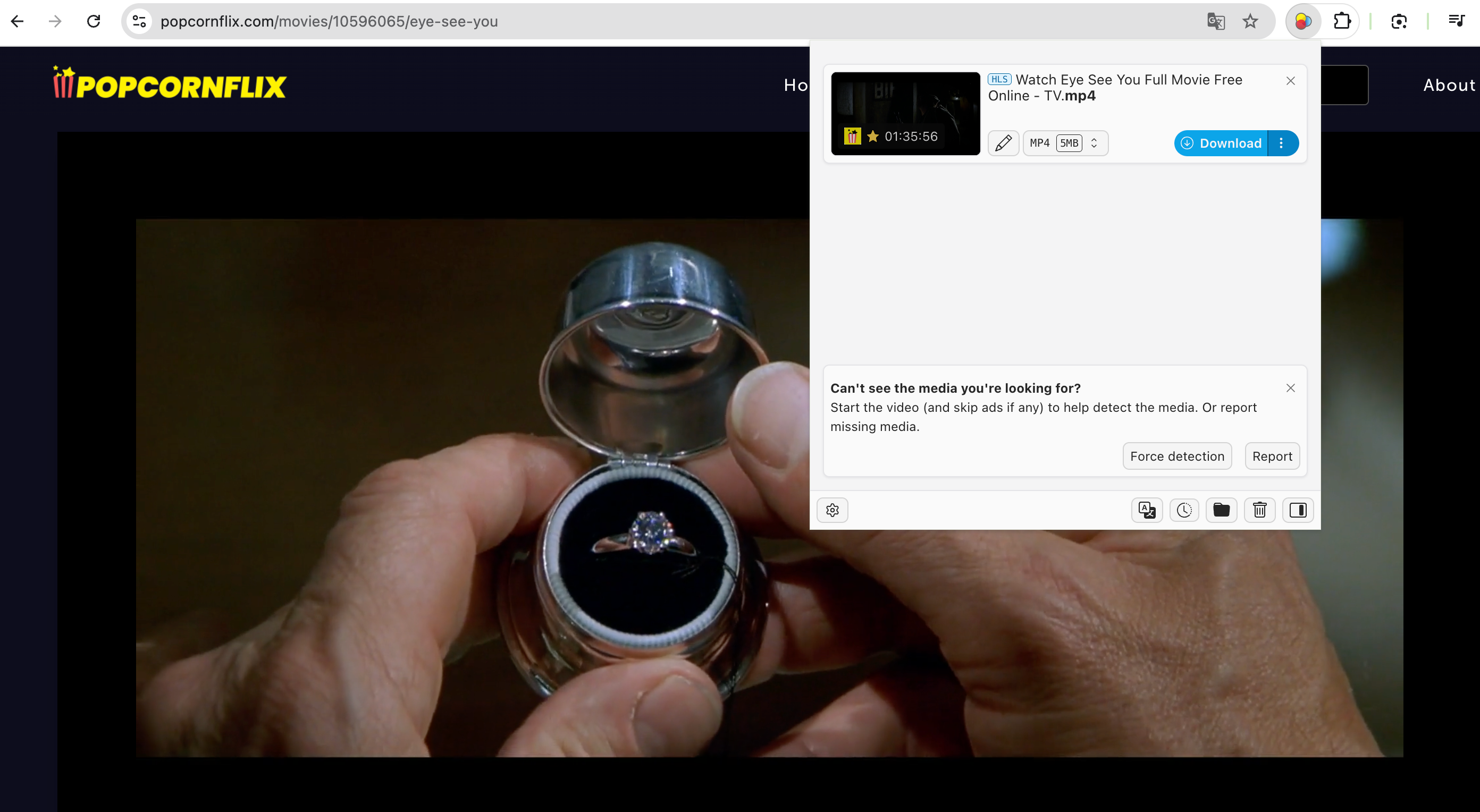
- Install a downloader extension, such as Video DownloadHelper.
- Open Popcornflix and play the movie.
- If the download button activates, click it to save the detected video file.
优点 :
- Faster than real-time recording
- Can sometimes capture segments directly
缺点 :
- Not all titles are downloadable
- Some streams cannot be saved
5. Advanced Recording with Swyshare Recordit (Best Method)
If you want high-quality recordings, advanced controls, and the ability to record long movies without interruptions, Swyshare Recordit is the best option. This software is designed for streaming capture, tutorials, gaming videos, and long-form screen recording.
主要特点 Recordit for Popcornflix Recording :
- Record in full 1080p or 4K
- Record system audio with perfect sync
- Schedule recordings (set start/stop times)
- Instant Replay / Record Last XX Seconds
- No lag, no time limits
- Multiple output formats: MP4, MOV, MKV, GIF, MP3
- Highlights, cursor effects, drawing tools
- Lightweight and low-CPU usage
How to Record Popcornflix with Recordit :
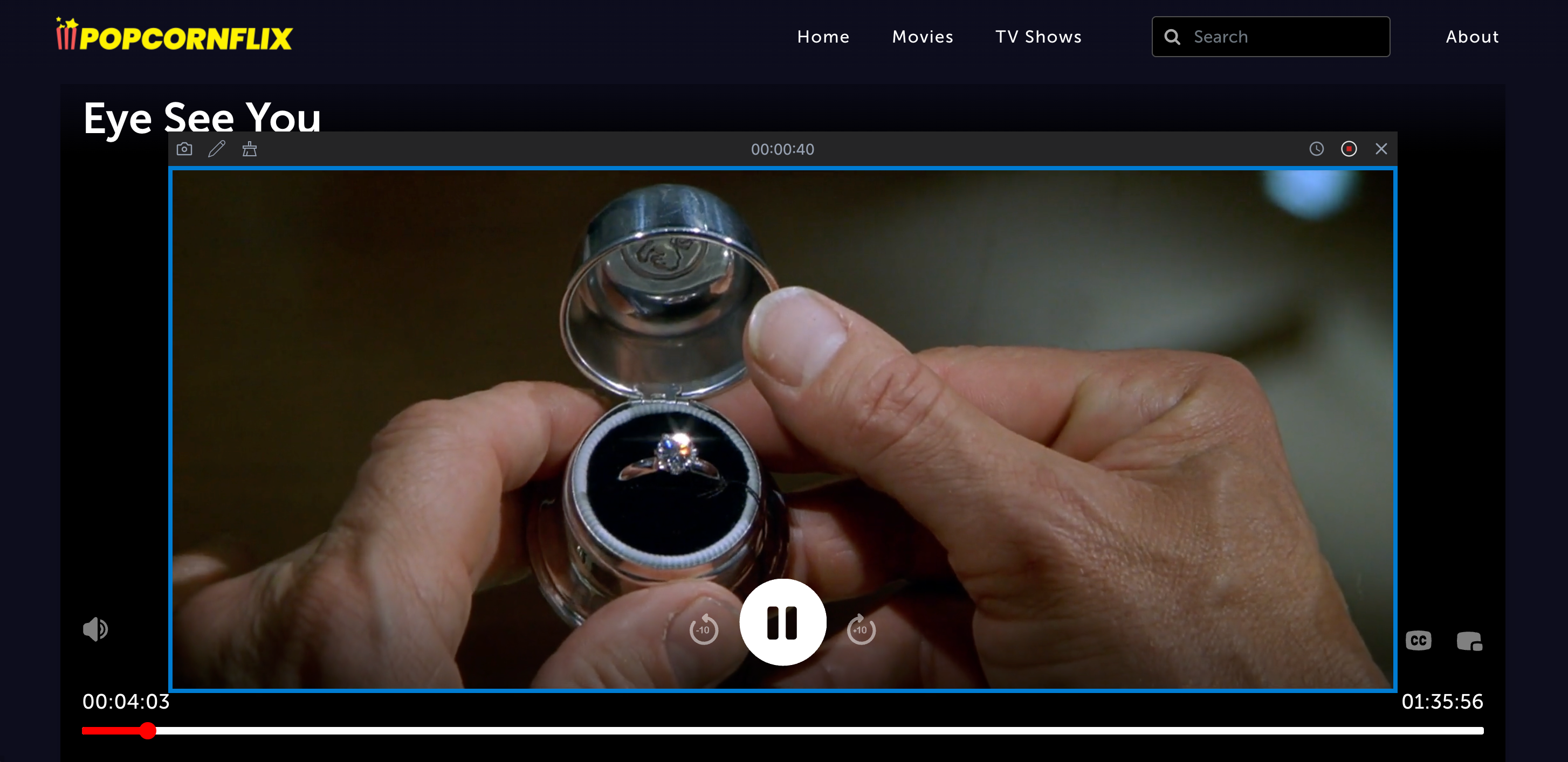
- Install and open Swyshare Recordit for your Windows or Mac.
- Open Popcornflix and load the movie, then use Recordit to select Full Screen or Select Area as your recording mode and enable System Audio.
- Press Start Recording, then play the movie in full screen.
- Stop anytime and save your video in your chosen format.
6. 结论
Popcornflix is one of the best free streaming platforms available, while it doesn’t provide an official download button. Online recorders, browser extensions, and downloader tools all work to varying degrees—but for the highest quality, longest recordings, and most reliable performance, Swyshare Recordit is the clear winner.
It gives you:
- Full-resolution movie captures
- Perfect audio sync
- No time restrictions
- Scheduling and instant replay
- Multiple export formats
If you want the smoothest, most dependable way to save Popcornflix movies for personal offline viewing, Swyshare Recordit is the top recommendation.