How to Archive a Twitter Account?

Social media platforms like Twitter (now widely known as X) have become essential for sharing thoughts, news, and media in real time. Over the years, users accumulate thousands of tweets, replies, images, and videos—forming a valuable digital footprint. But what happens if you want to back up that content, analyze it, or even delete your account without losing everything?

That’s where archiving comes in. Archiving a Twitter account allows you to preserve your entire history in a structured, accessible format. Whether you’re a casual user, content creator, or researcher, having a reliable archive ensures your data remains safe and usable.

In this guide, we’ll explore what it means to archive a Twitter account and walk through the most effective methods.

1. What Does It Mean to Archive a Twitter Account?

Archiving a Twitter account refers to saving all or part of your account data for long-term storage and offline access. This process typically includes:

  • Tweets, replies, and retweets
  • Images, videos, and GIFs
  • Profile information
  • Engagement data (likes, timestamps)
  • Sometimes direct messages

Unlike simply scrolling through your timeline, an archive gives you a permanent, organized copy of your content. Depending on the method used, the archive can be searchable, categorized, and even visually identical to the original posts.

People archive their Twitter accounts for several reasons:

  • Backup purposes: Prevent losing years of content
  • Account deletion: Keep a copy before deactivating
  • Content reuse: Repurpose tweets for blogs or marketing
  • Research and analysis: Study trends or engagement
  • Legal or compliance needs: Maintain records

2. Best Recommended Tool to Archive Twitter – Using Swyshare ArchiveKit

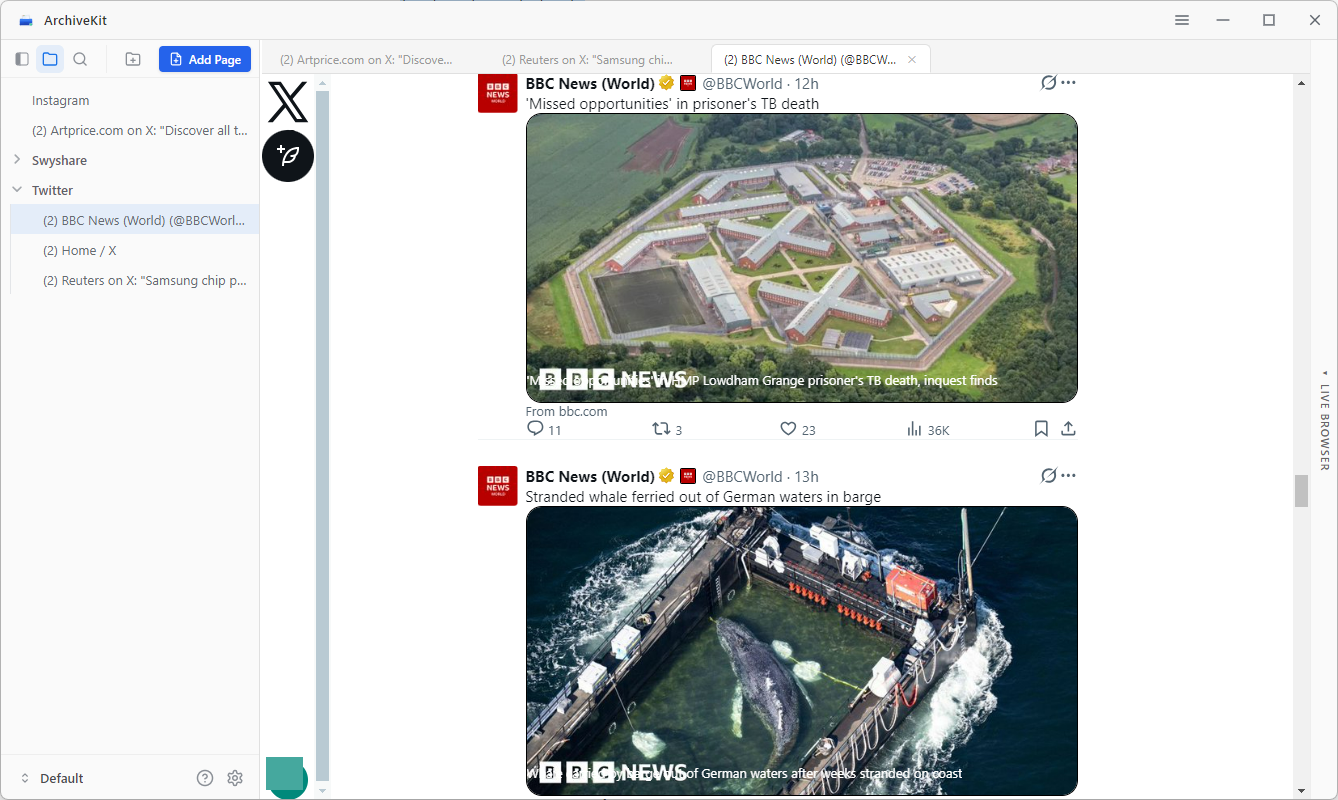
If you’re looking for the most complete and efficient way to archive a Twitter account, Swyshare ArchiveKit stands out as the best all-in-one solution that can capture entire Twitter pages as they appear, preserving layout, media, and structure. This makes your archive much more readable and useful.

Key Features of ArchiveKit:

  • Archive pages exactly as they appear
  • Built-in browser to log in and access protected or account-based content
  • Searchable archives to quickly find saved pages and information
  • Folder organization to structure and manage archives efficiently

How to use ArchiveKit to archive Twitter account page:

  • 安装并启动 Swyshare ArchiveKit on your device.
  • Open the Live Browser tab, paste the Twitter account URL, and log in to your account.
  • Scroll through the page to fully load content, then let ArchiveKit automatically archive it.
  • Access, view, and organize your saved archived pages locally.
archivekit archive twitter account

优点

  • Most complete archiving solution
  • Ideal for long-term storage and organization
  • Works for multiple accounts and large datasets

缺点

  • Requires installation
  • Videos need an internet connection to load, and if they’re deleted from the source, they can’t be archived or viewed.

3. Archive Twitter Using Twitter’s Built-in Data Download Tool

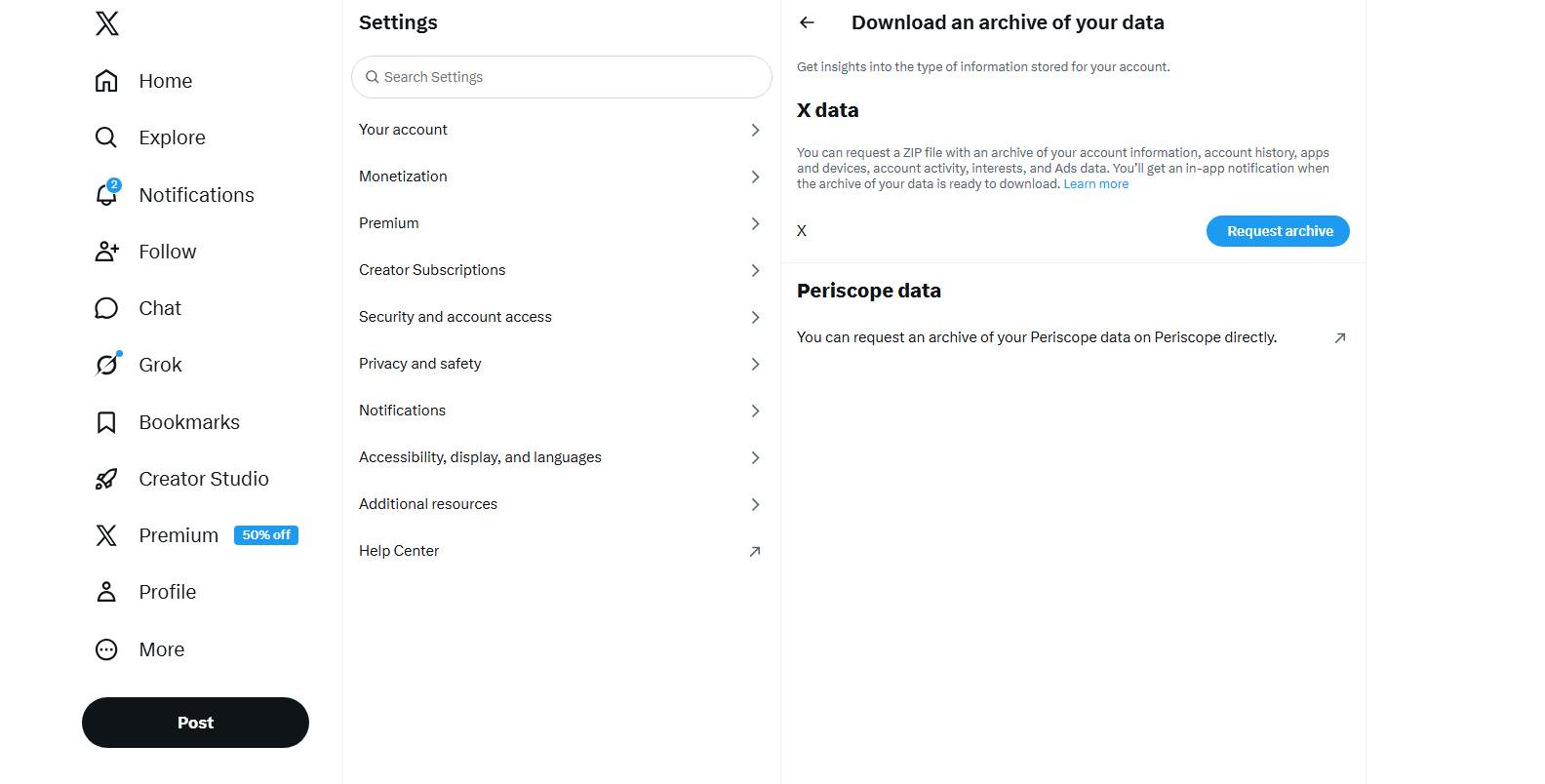
Twitter provides an official way to download your account data, which is the simplest method for beginners.

脚步:

  • Log in to your Twitter account > Go to Settings and Privacy > 导航至 Your Account
  • 点击 Download an archive of your data > Verify your identity and request the archive
  • Download the ZIP file when ready; Extract and open the HTML file.
twitter download an archive of your data

What You Get:

  • Tweet history
  • Account details
  • Basic media files
  • Activity logs

优点:

  • Official and secure
  • Free and easy to use

缺点:

  • Limited presentation (not visually rich)
  • No real-time updates
  • Minimal customization

4. Archive Twitter Using Page Saver & Archiver Extensions

Browser extensions offer a quick way to archive individual Twitter pages or threads. Popular tools include page-saving extensions that can store a webpage as a complete HTML file for offline viewing.

How It Works

  • Install a page saver extension like “Save Page WE” in your browser.
  • Open a Twitter profile or tweet, then click the extension icon and archive the page locally.
extension to archive twitter account

优点

  • Quick and convenient
  • No software installation required (beyond extension)
  • Good for one-off saves

缺点

  • Limited advanced page management
  • May miss dynamically loaded tweets
  • Not ideal for full account archiving

5. Archive Twitter Videos & Images Using Xget

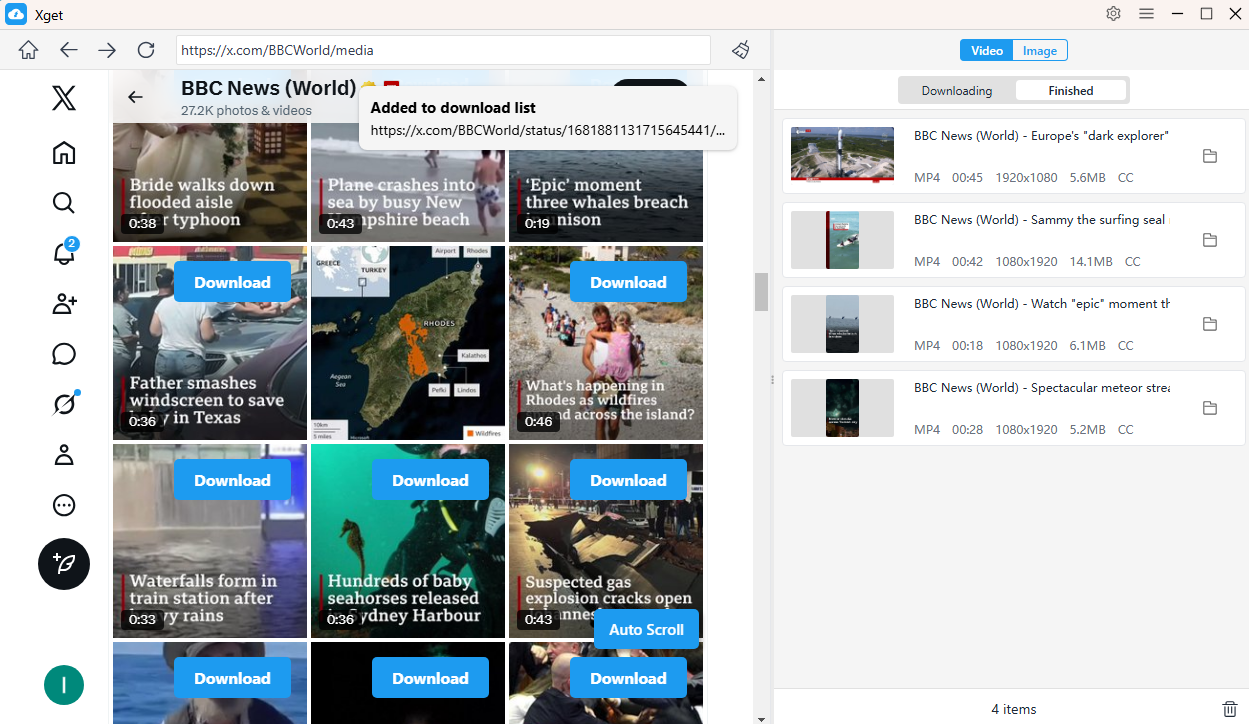
If your main goal is to save media content, Xget is a specialized tool designed for downloading videos and images from Twitter.

Key Features of Xget:

  • Download high-quality Twitter videos
  • Save images and GIFs in bulk
  • Fast processing and simple interface
  • Supports multiple tweet URLs

How to Use Xget

  • Download and open Xget, then visit X.com and log in.
  • To archive videos, locate and play a video, then press the download button and Xget will start downloading all the videos in the download queue.
xget archive twitter videos
  • To archive images, scroll the page to load original files, then Xget will allow you to filter images and download them in bulk.
xget archive twitter images

优点

  • Excellent for media-heavy accounts
  • High-quality downloads
  • 便于使用

缺点

  • Focused only on media (not full archives)
  • No layout or tweet context preservation

6. Manually Archiving Tweets

For users who only need to save a few important tweets, manual archiving is the simplest option.

Methods

  • Screenshots: Capture tweets as images
  • Copy & paste: Save text into documents
  • Bookmarks: Use browser or note apps

优点:

  • No tools required
  • Immediate and flexible

缺点:

  • Time-consuming
  • No structure or searchability
  • Not scalable

7. 结论

Archiving a Twitter account is essential for preserving your digital history, protecting valuable content, and maintaining control over your data. From simple manual methods to advanced tools, there are multiple ways to achieve this—each suited to different needs.

  • The built-in Twitter tool is perfect for basic backups
  • Browser extensions are great for quick saves
  • Xget excels at downloading media
  • Manual methods work for small-scale archiving

However, if you want a complete, organized, and visually accurate archive, Swyshare ArchiveKit is the clear winner. Its ability to capture full pages, preserve layouts, and manage large-scale archives makes it the most powerful and reliable solution available.

If you’re serious about archiving your Twitter account the right way, ArchiveKit is the tool that delivers both quality and efficiency.

发表评论

您的电子邮件地址不会被公开。 必需的地方已做标记 *