
Managing files with incorrect or unnecessary filename extensions can be frustrating, especially when working with hundreds of images. You may have a folder packed with images named
image1.fw.png
,
photo.fw.png
, 和
banner.fw.png
. That extra
.fw
suffix can make filenames look messy, so removing it to get
image1.png
,
photo.png
, 和
banner.png
is a simple way to keep your files neat and organized.
Instead of manually renaming each file, free batch-renaming tools let you remove
.fw
from multiple filenames at once, turning
.fw.png
进入
.png
quickly and effortlessly.
In this guide, we’ll introduce the best free file-renaming tools for removing
.fw
from PNG filenames, walk you through how to use each one.
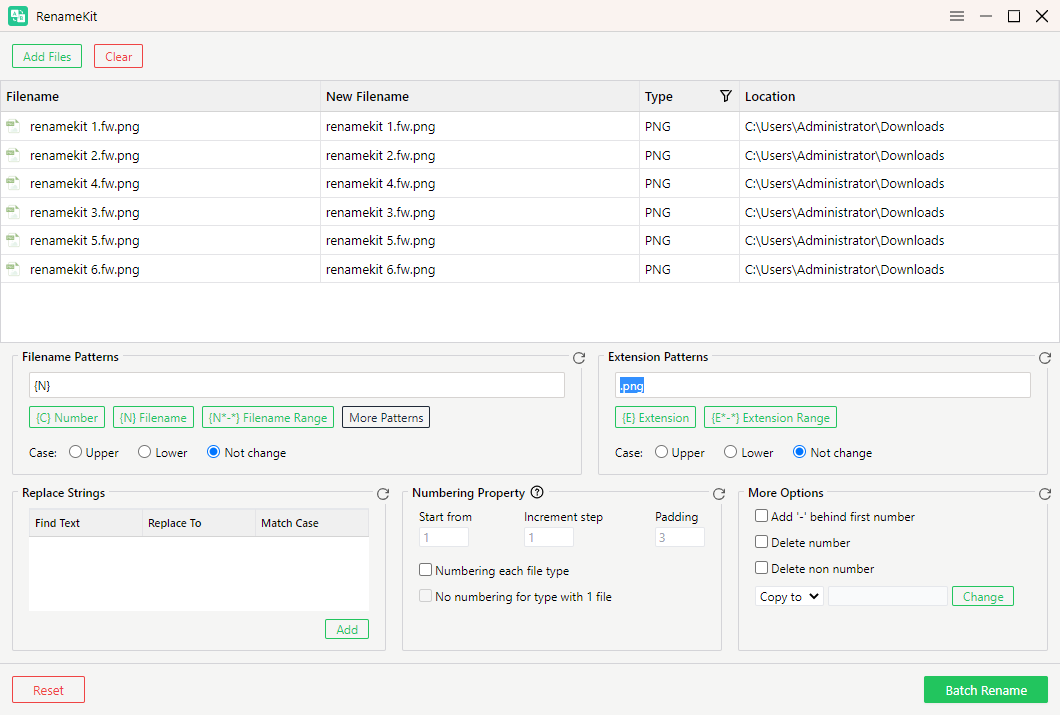
1. Swyshare RenameKit
Swyshare RenameKit is designed to make bulk file management more efficient. It enables users to apply consistent renaming rules across multiple files, reducing repetitive work and helping maintain an organized collection of images, documents, and other digital assets.
How to replace
.fw.png
和
.png
using RenameKit:
- Download and open Swyshare RenameKit from its official website.
- Import the
.fw.pngfiles into Swyshare RenameKit, navigate to Extension Patterns, and set the replacement rule to change.fw.png到.png。 - Preview the resulting filenames, then apply the changes after confirming that the output is correct.
2. Microsoft PowerToys PowerRename
Microsoft PowerToys PowerRename is a free Windows tool that lets users batch-rename files using text replacement and regular expressions, with a preview to verify changes before applying them.
How to replace
.fw.png
和
.png
uisng PowerRename:
- Install Microsoft PowerToys and enable PowerRename.
- In File Explorer, choose the files you want to rename to .png, right-click them, and select Rename with PowerRename.
- In the search field, enter
.fw.png。 - Leave the replacement field empty or enter
.png, depending on the search pattern you choose. - Review the preview to confirm the new filenames.
- Click Apply to complete the renaming process.
3. 高级重命名器
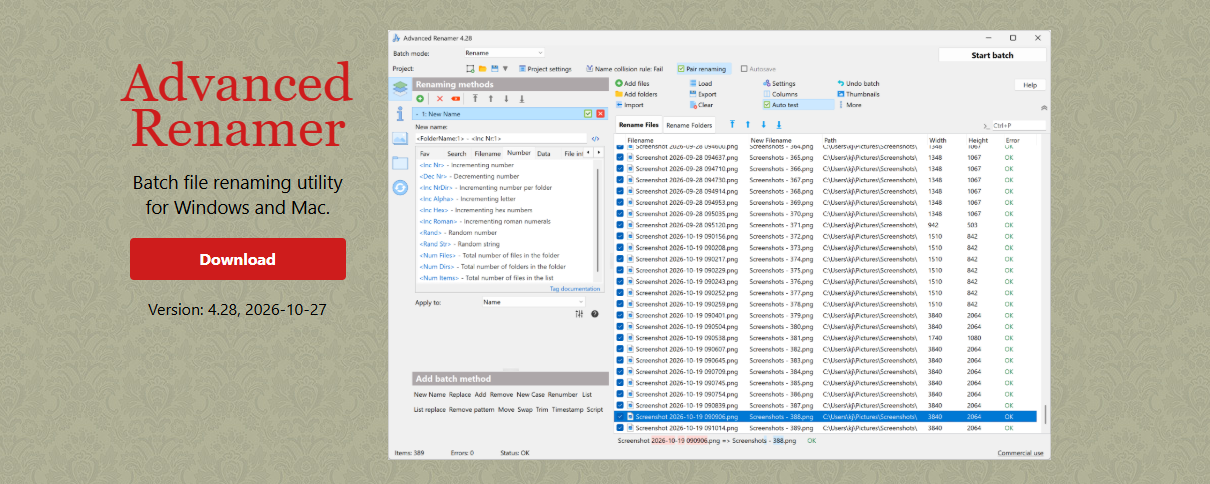
Advanced Renamer is a batch file-renaming tool for Windows and macOS that supports text replacement, character removal, capitalization changes, and customizable rules to help users efficiently rename and organize large numbers of files.
The software is free for personal use, while commercial use requires a license.
How to use Advanced Renamer to replace
.fw.png
和
.png
:
- Download and install the application.
- Add the files you want to rename.
- Create a new 代替 method.
- 进入
.fwin the Find field and leave the Replace field blank to remove the unwanted text from the filenames. - Check the preview and verify that the original filenames will be preserved apart from the intended change.
- Start the batch-renaming process.
4. Bulk Rename Utility

Bulk Rename Utility is a Windows tool that lets users rename multiple files at once using features such as text replacement, character removal, extension editing, and other filename modifications, making it useful for managing large batches of files efficiently.
The software is free for personal, private use at home. Commercial users should check the licensing requirements before using it for work.
How to rename
.fw.png
to .png files with Bulk Rename Utility:
- Download and launch Bulk Rename Utility.
- Navigate to the folder containing your images.
- Select the files you want to modify.
- Use the relevant text-replacement controls to remove
.fwfrom the filenames. - Inspect the new filenames in the preview area, then apply the changes once you are satisfied with the results.
Since Bulk Rename Utility provides various renaming options, make sure you modify the filename rather than accidentally changing the file extension. The aim is to remove
.fw
while keeping
.png
intact, so files such as
image.fw.png
become
image.png
。
5. Ant Renamer
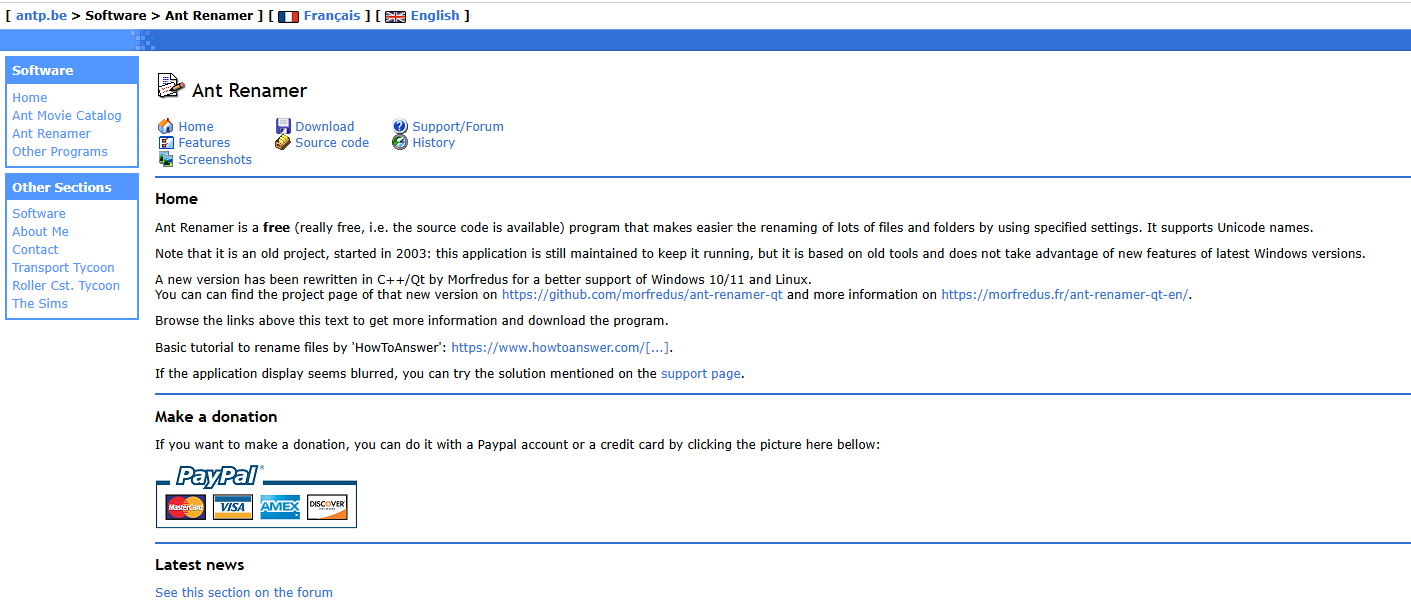
Ant Renamer is a free, open-source file-renaming tool for Windows that lets users rename multiple files in a single operation. It supports text replacement, extension editing, character removal, and regular expressions, making it useful for handling bulk filename changes quickly and efficiently.
To use it for this task, add your files, select the appropriate replacement operation, and configure the rule to remove
.fw
from the relevant filenames. Preview the results before executing the operation.
例如:
photo01.fw.pngbecomesphoto01.pngphoto02.fw.pngbecomesphoto02.pngphoto03.fw.pngbecomesphoto03.png
Ant Renamer is a useful alternative for people who prefer open-source software. Its interface is relatively straightforward for common renaming tasks, although its appearance may feel less modern than that of newer utilities.
6. PowerShell

If you use Windows, PowerShell provides a built-in way to rename multiple files. It is particularly convenient when you need to repeat the same operation or handle files in a specific folder.
For example, the following command removes
.fw
immediately before
.png
from filenames in the current directory:
Get-ChildItem -File -Filter "*.fw.png" |
    Rename-Item -NewName {
        $_.Name -replace '\.fw\.png$', '.png'
    } -WhatIf
这
-WhatIf
parameter previews the planned filename changes without making any modifications. After verifying the results, remove
-WhatIf
and run the command again to apply the changes.
This command targets files ending in
.fw.png
, rather than modifying every file in the folder. It also preserves the rest of each filename.
PowerShell offers a fast and flexible way to batch-rename files, though commands must be entered carefully. If you’re new to using it, try the command on a duplicate folder first to ensure the filenames change as expected before processing your original files.
7. 结论
If you frequently need to replace
.fw.png
和
.png
, choosing the right file-renaming tool can save you considerable time and effort. While tools like PowerRename, Advanced Renamer, and Bulk Rename Utility offer useful batch-renaming features,
Swyshare
RenameKit
is our recommended choice for this task. With its Extension Patterns feature, RenameKit streamlines filename changes and saves time on repetitive tasks, so we suggest that you download and give it a try.